Khaberni -
Improving photos no longer depends only on the photographer's skill or complex design software like “Photoshop”; artificial intelligence (AI) has become a key player in the digital photography world.
In recent years, smart tools have emerged capable of modifying and enhancing photos with a single click, by automatically analyzing the image's components and precisely adjusting the lighting, colors, and detail similar to what professional designers do.
But how can you, as an ordinary user, benefit from this technology? And what are the best tools that you can use to make your photos professional in seconds?
What is meant by enhancing photos with Artificial Intelligence?
Enhancing photos with artificial intelligence means using advanced algorithms that digitally analyze the image, recognize elements like the face, background, lighting, colors, then correct flaws or enhance details without manual intervention.
These tools train on millions of images to learn “what the perfect picture looks like” and then apply this understanding to your own photos.
The result? Clearer photos, more color balanced, and of high quality even if taken with an old phone camera.
Prominent uses of artificial intelligence in enhancing photos
Artificial intelligence can help you with multiple tasks related to photography, including:
-
Enhancing Resolution (Upscaling):
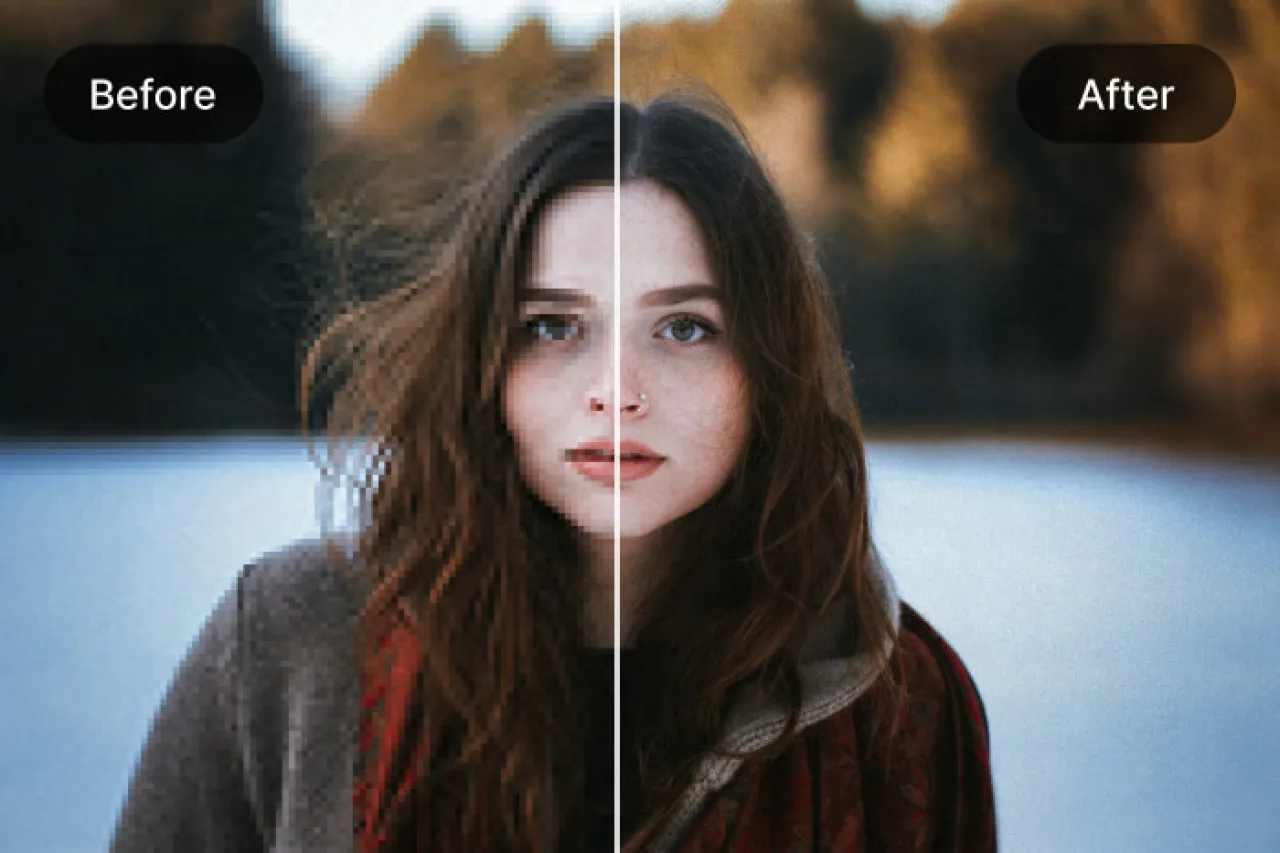
If you have a low-quality or blurry image, smart tools like Remini or Let's Enhance can double its precision and improve its clarity dramatically without losing details.
-
Removing Background (Background Removal):
Using sites like Remove.bg or Adobe Express AI, you can automatically remove the background within seconds, without needing to manually select it.
-
Repairing Old Photos:
Tools like VanceAI or Pixelcut Restore bring old or faded photos back to their original state, fix scratches, and accurately restore colors.
-
Beautifying Personal Photos (AI Retouching):
Technologies like FaceTune AI or Fotor AI can smooth the skin, adjust the lighting, and enhance features without exaggeration, giving you a natural and elegant appearance.
-
Automatically improving lighting and contrast:
Some tools like Luminar Neo use artificial intelligence to analyze the distribution of light and shadows in the image and adjust it automatically to look more balanced.
-
Converting photos to artistic styles:
Applications like Prisma and DeepArt let you convert your photos into paintings in the style of Van Gogh or Picasso using deep learning algorithms.
Best Artificial Intelligence Tools for Enhancing Photos in 2025
-
Remini AI
-
One of the most famous applications for enhancing personal and old photos.
-
Uses artificial intelligence to reconstruct facial features, and remove noise and blurriness.
-
Suitable for Android and iOS phones.
-
Ideal for enhancing old phone photos or old family pictures.
-
Luminar Neo
-
A professional program that relies on artificial intelligence for photo editing and beautification without the need for technical skill.
-
Offers tools to remove unwanted objects and backgrounds.
-
Features "Sky AI" that naturally switches the sky in images.
-
Canva AI Photo Editor
-
A well-known design platform that heavily relies on artificial intelligence, providing tools for adjusting images, enhancing lighting, and removing imperfections with simple steps.
-
Its interface is user-friendly and ideal for beginners.
-
Adobe Photoshop Generative AI
The new version of Photoshop includes the "Generative Fill" technology that enables you to add or remove elements from the photo using text only, like "add a setting sun" or "remove the person in the background."
Ideal for designers and professional photographers.
-
Fotor AI Enhancer
-
A free and fast online or app-based tool for enhancing photos.
-
Enhances colors, removes noise, and increases clarity with just one click.
How to Use Artificial Intelligence to Enhance Your Photos Step by Step
-
Choose a reliable tool:
Determine exactly what you need: Do you want to remove the background? Or improve quality? Or beautify personal photos?
Based on this, choose a tool like Remini, Canva AI, or Luminar.
-
Upload the image to the platform:
Most tools provide a simple interface that allows you to directly drag the image or upload it from your phone or computer.
-
Choose the type of enhancement:
Some platforms give you multiple options like “Enhance”, “Retouch”, “Color Fix”; choose what suits the photo.
-
Let the AI do its job:
Within seconds, the image will be processed automatically.
You can then compare the results before and after editing.
-
Save the final image:
After you are satisfied with the result, download the image in high-quality format (JPG or PNG) for your posts or projects.
Tips to Obtain the Best Result
-
Use original and clear photos as much as possible even if they are of low quality; artificial intelligence can't create