




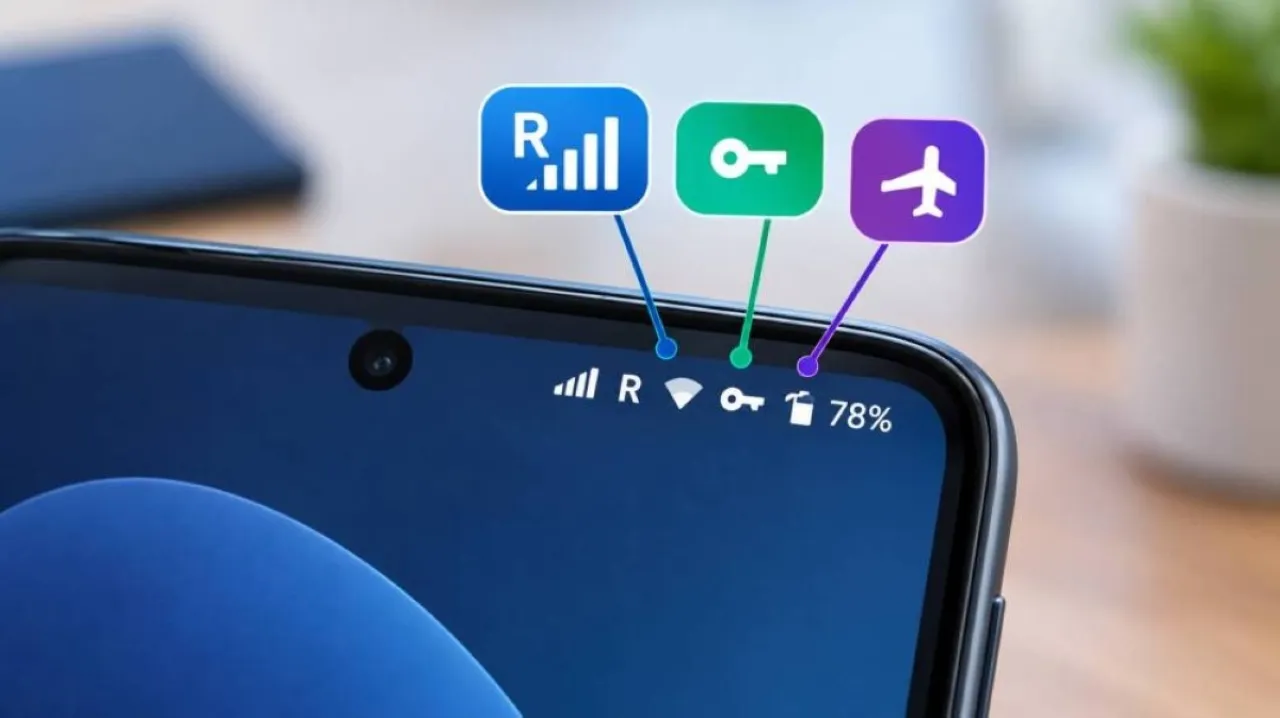
Khaberni - The icons that appear in the status bar on Android phones may just seem like small signals, but they carry important information about the device's status and its network connection, including the letter R, which can suddenly appear on the phone screen and raise questions about its meaning and its effect on connectivity and data usage.
The appearance of the letter R often means that you are using roaming.
When the letter R appears in the status bar on an Android phone, it usually indicates that the phone is operating in roaming mode, meaning it is connected to a network outside the main network of your service provider.
This may occur while traveling abroad, but it can also appear in some cases while moving domestically, depending on the coverage of the telecommunications company and its agreements with other networks.
The importance of paying attention to this symbol lies in the fact that using phone services while roaming can lead to additional costs, especially when consuming large amounts of phone data, and fees and policies vary significantly depending on the telecommunications company, the packages subscribed to by the user, their location, and the duration of service usage.
The letter R alone does not clarify whether the roaming is local or international, so it is advisable to review the telecommunications company's policy if the symbol appears without the user expecting it.
How do you stop roaming on an Android phone?
If you do not need to use phone data while roaming, it can be easily disabled through the device's settings.
Normally there is a "data roaming" option within mobile network settings, and you may find it under sections like "Connections" or "Network & Internet," according to the type and version of the phone's operating system.
When data roaming is disabled, the phone stops using mobile data when connected to a network outside the main operator's network, meaning that internet-dependent applications will need to connect to a Wi-Fi network to function online.
Alternatively, a quick solution when needing to cut cellular communications is to activate airplane mode, which disables phone connection to cellular networks.
Key symbol: Your phone is connected to a VPN network
The status bar not only alerts about roaming; it may also show a key icon, which typically indicates an active VPN connection or a private virtual network.
This icon may appear when using VPN services like NordVPN, Surfshark, or Proton VPN, or some built-in VPN services in specific devices, including some supported Pixel phones.
When the VPN connection is disconnected, the icon usually disappears, and if it appears without remembering activating the service, it is best to check the VPN settings on your phone or the responsible application.
Why should you pay attention to the status bar icons?
These icons may seem simple, but they give the user a quick glimpse of how their phone is functioning and connecting to the network, and knowing the meaning of each icon can help in detecting the use of roaming, phone data, VPN, or NFC, and taking appropriate action before an unintended setting leads to additional data consumption or unexpected charges on the bill.