Khaberni - Each update of the iOS system includes some major features that grab attention, but usually, the minor and less noticeable changes are the ones that make the biggest difference.
iOS 27 is full of these small improvements, and after testing its beta version, developers from "Digital Trends" noticed that seven of them have actually enhanced the daily user experience.
If you have ever seen a web page stop loading while your iPhone clings to a weak Wi-Fi signal, you will appreciate this feature.
According to a report from "Mac Rumors", a site specialized in Apple technology news, Apple has added the new "Connectivity Assist" feature which allows your iPhone to automatically switch to mobile data when connected to a weak or intermittent Wi-Fi network.
This ensures that your iPhone's connection is not interrupted, as it will seamlessly switch to mobile data when needed.
However, it should be noted that this may consume more mobile data in the background, so if you subscribe to a limited mobile data plan, you should monitor your data usage.
Until now, the volumes of the alarm and ringtone were identical, meaning that lowering the ringtone volume at night could make the morning alarm too quiet to wake you up. iOS 27 now lets you set separate volume levels for both the ringtone and alarm.
According to "Digital Trends", you can activate this feature by going to Settings, then Sounds & Haptics, and turning off "Match Ringtone Volume".
From there, you will be able to independently control alarms, timers, and system sounds.
Automatic paste suggestion for what you copy
This type of minor change makes a big difference in your daily life.
Now, whenever I copy text, the keyboard displays a paste suggestion directly above it, instead of having to long-press the text field and look for the paste button, just click on the suggestion, and it's pasted.
New size for the connectivity options box in the Control Center
The connectivity options box in the Control Center allows you quick access to Bluetooth, Wi-Fi, mobile data, AirDrop, and other controls.
In iOS 26, you could use this tool in either a small or large size only.
If you use the small size, it requires two taps to access the controls, while the large size occupies the full page.
With the iOS 27 update, there is now a medium size available, and to use it, long press the Control Center to enter edit mode, then use the drag handle in the corner to adjust the size.
The new tool occupies half the page, leaving space for other controls while ensuring all connectivity toggle switches can be used with just one click.
A necessary update for the dictation feature
The dictation feature on iPhones used to be terrible, not considering punctuation or formatting, and often made so many word errors that correcting them took longer than typing the text manually.
With iOS 27, this issue has finally changed thanks to the new advanced dictation feature.
This feature is currently available for preview, and you can activate it by going to Settings → General → Keyboard → Dictation Preview.
This feature uses a new model embedded in the device, not only reducing mistakes, but also automatically adding punctuation, preventing the appearance of one long run-on sentence.
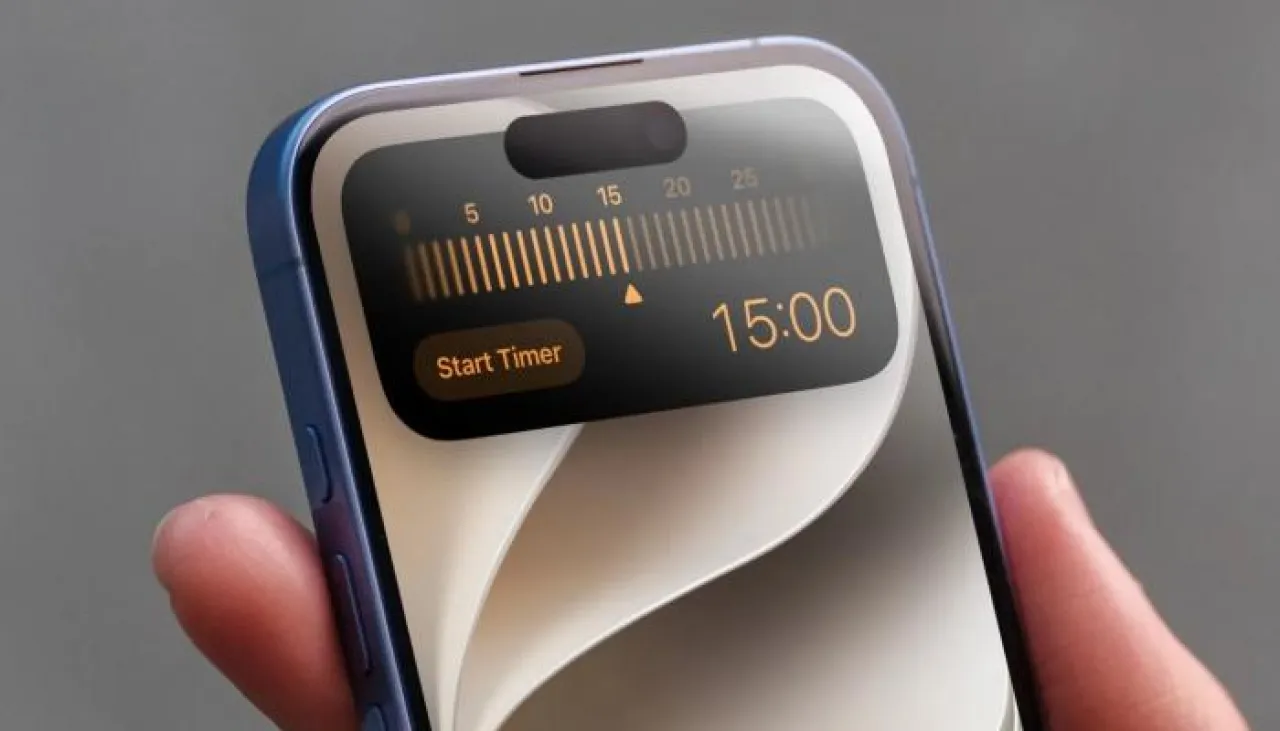
Setting a timer is much quicker now
In previous versions of iOS, you could add a toggle button in the Control Center to create timers.
However, clicking this button used to only launch the Clock app, which users previously found illogical.
With iOS 27, the start/stop timer button now works as it should from the start. Now, when you click the button, a pop-up window appears where you can quickly set the timer.
iOS 27 Operating System on iPhone.. New features you must know how to use – Image 6
AirDrop has always been useful, but in iOS 27, it seems to have undergone a radical improvement.
Small files like photos and documents are transferred instantly, and large files are about twice as fast as before.