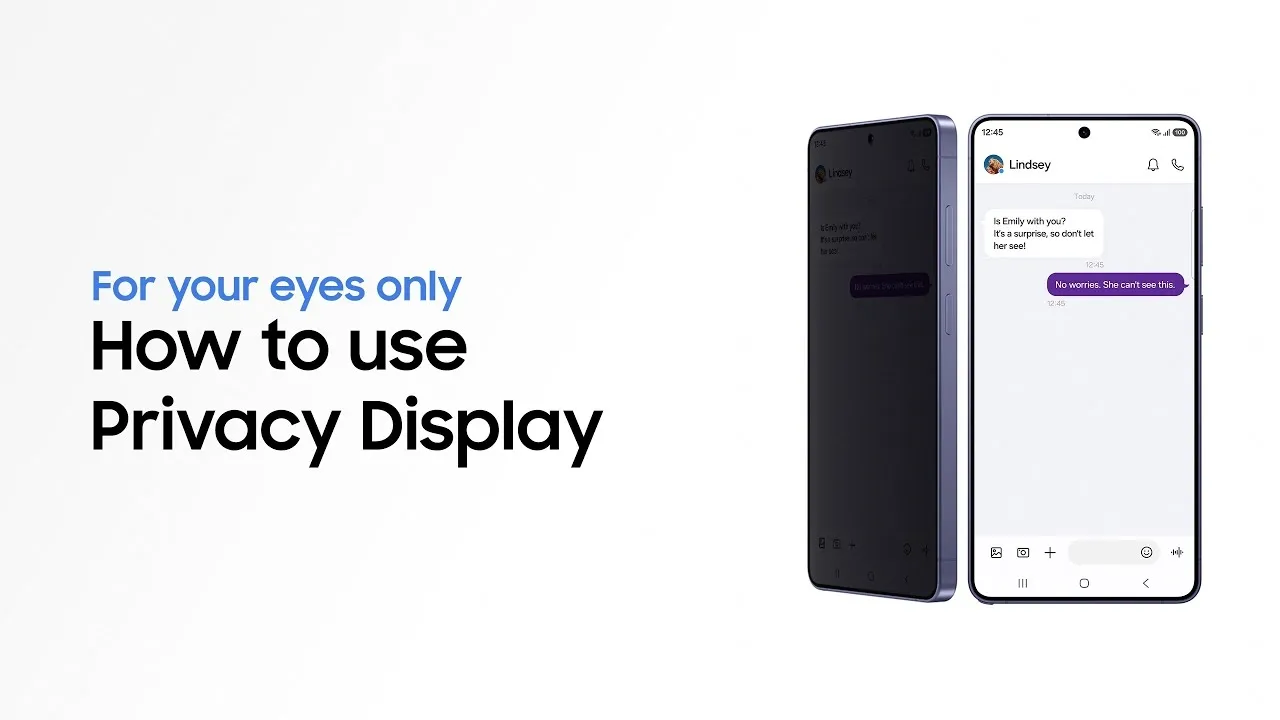
The Galaxy S26 Ultra introduces a new concept of privacy with the Privacy Display feature, the first built-in privacy screen in the smart device world. The decision of what is displayed or hidden on the screen, and who can see it, is now fully within the reach of users. This is not due to optical illusion, but rather due to smooth control of every pixel on the screen and a precise balance between display clarity from various angles and maintaining the highest degrees of privacy according to usage conditions.
What is the Privacy Display feature?
The Privacy Display feature in the Galaxy S26 Ultra represents a new generation of built-in personal protection solutions integrated within the device's structure. When activated, this technology adjusts the viewing angle to maintain clarity of content when looking directly at the screen, while reducing the possibility of it being seen from the sides. This enhances the privacy levels of users when they are in public places or on the move.
Thus, this feature eliminates the need for additional privacy stickers on the screen and the limitations and restrictions they impose. Instead, it provides advanced protection levels without affecting the display quality or screen brightness during daily use.
How does the Privacy Display feature work?
This feature depends on its integration with the physical components of the screen itself, controlling the light diffusion mechanism emitted from each pixel. When activated, visibility from the side is reduced, while clarity and vibrant colors remain when looking directly at the screen. Full visibility from all angles is restored as soon as the feature is deactivated.
This hardware-based solution offers a more precise and stable experience compared to traditional privacy stickers, which often lead to a permanent reduction in brightness and clarity, as well as the potential to affect touch response.
The Privacy Display feature also allows an advanced level of customization, including the possibility of automatic activation in specific contexts, such as when entering sensitive data, or restricting the display of certain types of content like notifications, enhancing user control over privacy levels without affecting ease of use.
How to use Privacy Display on the Galaxy S26 Ultra
Users can learn the detailed steps to activate the Privacy Display feature by watching the detailed tutorial via the link.
They can also experience a number of the latest Galaxy device features on the Try Galaxy platform, including the privacy screen, using their devices directly within an interactive live experience.
For more information about the Galaxy S26 Ultra and the latest Galaxy devices, please visit the official Samsung website at Samsung.com.