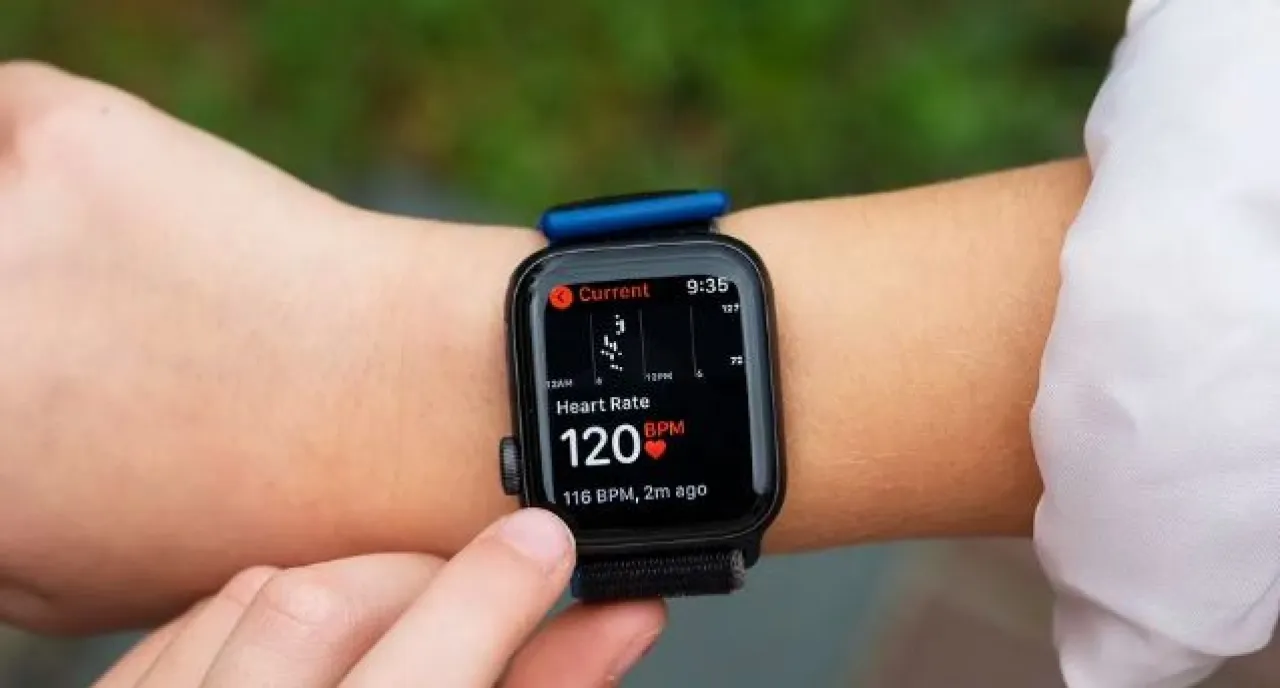
Khaberni - With the growing interest of users in monitoring their health and vital data, Apple Watches have become among the most frequently used wearable devices for tracking heart rate, whether at rest or during physical exercise.
The importance of reading heart rate goes beyond determining exercise intensity and achieving fitness goals; it also serves as an important indicator of overall health, such as resting heart rate, and the body's response to stress and physical strain.
To obtain more accurate and reliable data, experts recommend adjusting some settings on the watch itself or through a connected iPhone, ensuring improved sensor performance and measurement accuracy.
The correct settings not only enhance the quality of the data, but also provide the user with a clearer picture of their health status, helping them make more informed decisions regarding their lifestyle and daily activity.
Update your health information
The first step to improve heart rate reading accuracy is to ensure that your personal information in the Health app is correct and up to date.
This data includes weight, height, age, and possibly information about the medications you are taking, as these details can affect the calculation and readings of heart rate, especially during rest or exercise.
Enable wrist detection
One of the vital settings for proper sensor function is enabling the Wrist Detection option in Apple Watch settings. This feature helps the watch to know that it is actually being worn, allowing the device to automatically start tracking heart rate in the background.
If the feature is not enabled, the watch may not receive frequent or accurate readings throughout the day.
Wear it properly
Even if all settings are properly adjusted, the placement of the watch on the wrist and the way it is worn heavily affects the quality of the measurement.
It is preferable to wear the watch snugly and closer to the skin of the wrist, and not right on the wrist joint. Also, it is important to keep the back of the watch and the skin area underneath it clean.
Sweat or dirt can affect the operation of the heart rate photoplethysmography sensor.
Privacy settings for apps
Sometimes, privacy settings on the phone or watch might hinder Apple Watch’s access to heart rate data, especially when sharing this information with external apps.
To ensure smooth heart tracking, privacy settings in the Watch app on iPhone should be checked to allow required apps to access heart data.
The appropriate exercise type
A common mistake is starting an exercise without selecting the correct type in the workout app on the watch, which can lead to incorrect application of sensors during physical activity.
To ensure more precise readings during walking, running, or various exercises, it is always preferable to select the appropriate type of workout before beginning to track it.