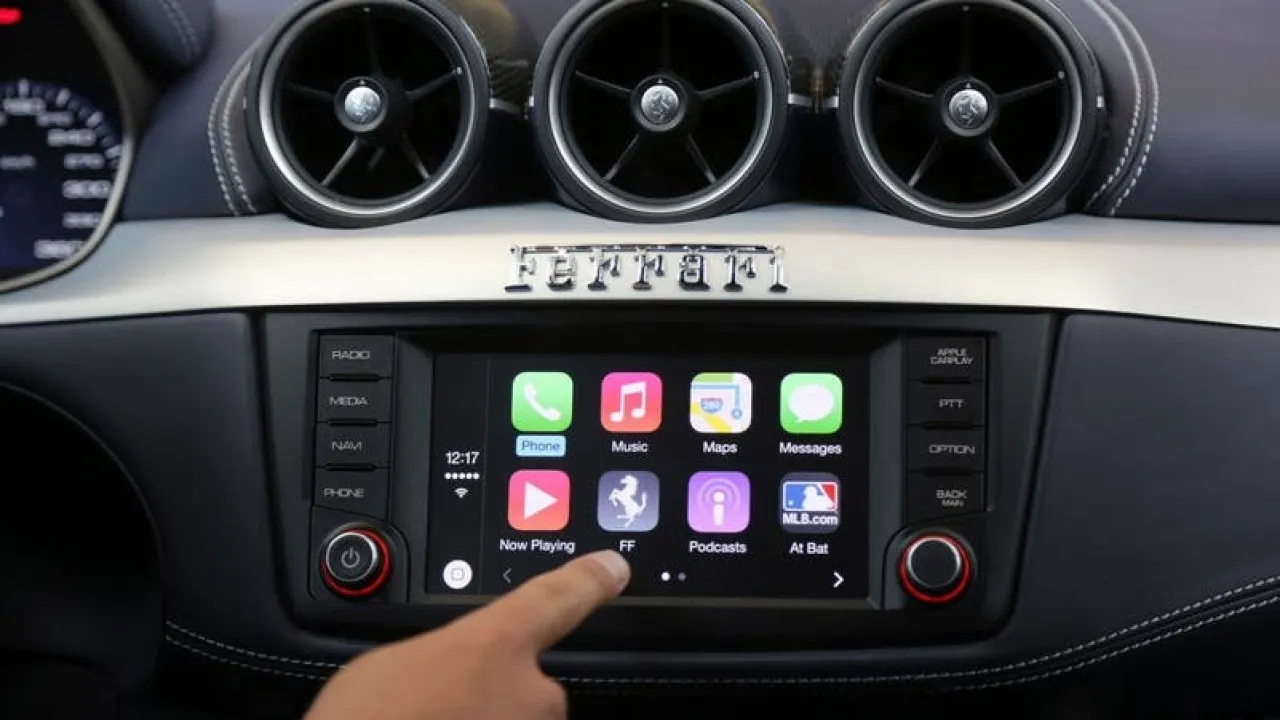
Khaberni - Apple CarPlay is considered one of the most important tools that drivers connected to the "Apple" ecosystem rely on, as it allows displaying and controlling iPhone apps on the car's screen without the need to use the phone, enhancing safety during driving.
Despite its widespread use in applications like maps and music, CarPlay conceals smart features that many users are unaware of.
Since its launch in 2014, CarPlay has received significant updates and changes, making it more advanced and flexible.
However, many drivers still do not take full advantage of its capabilities, according to a report published by "slashgear" and reviewed by "Al Arabiya Business".
Here are four useful features in CarPlay that could make a real difference while driving.
Increasing text size to improve visibility
Despite the large screens of modern cars, some drivers have difficulty reading texts while driving, especially from a distance.
CarPlay offers a practical solution through a text size changing feature within accessibility settings.
Once the phone is connected to the car, users can go to settings then accessibility, where a tool is available to increase the font size to 135% instead of the default size.
It is also possible to activate the bold text option to make the characters clearer and easier to read, which enhances focus and reduces distractions while driving.
Smart Display Zoom feature to fit your car's screen
Not all car screens are alike in terms of size or dimensions, which may affect the CarPlay user experience.
For this reason, Apple has added the Smart Display Zoom feature, which automatically adjusts the CarPlay interface to better fit the car's screen.
To activate it, you can enter the settings then display on the car screen, and activate the Smart Display Zoom option.
After this, the interface will be reconfigured to become clearer and more consistent with the dimensions of the screen, with the ability to turn off the feature at any time if it does not suit you.
Live Activities to follow updates in real-time
In its effort to keep the driver away from the phone, Apple has introduced the Live Activities feature to CarPlay, allowing the monitoring of live updates from certain apps while driving, such as the status of food orders, sports results, or flight times.
To activate it, Live Activities need to be enabled on the iPhone through settings then Face ID and passcode, allowing access when the phone is locked.
After that, you can select the apps you want to display their live activities, which will automatically appear on the car screen when connected to CarPlay.
Sound Recognition hears what you may not hear
Being alert to surrounding sounds such as car horns or ambulance sirens is crucial while driving, especially in case of hearing impairment or presence of noise.
Here comes the Sound Recognition feature, which helps CarPlay detect these sounds and alert the driver.
The feature can be activated from the settings then accessibility, and selecting the sounds you wish to detect such as horns or alarms.
When any of them are detected, an immediate alert appears on the screen, enhancing road and environmental awareness.
Although Apple CarPlay may not be the ideal choice for everyone, it remains an effective tool for improving the driving experience.
With the activation of these relatively unknown features, drivers can benefit more from the system, making driving safer and more comfortable at the same time.